If you’ve ever stood in a grocery store, library, or local government office staring at a sleek, touchscreen kiosk, you’ve probably had that exact thought: Can I actually pay my bills here? As a self-service terminal supplier who’s spent the last decade designing, installing, and troubleshooting these systems for small towns and big box stores alike, I get the confusion. It’s easy to assume these machines are only for scanning groceries or printing library books, but let’s clear that up once and for all. Let’s break down how our terminals handle bill payments, what works well, where the occasional hiccup might pop up, and why so many businesses are shifting to these tools right now. Self-service Terminal
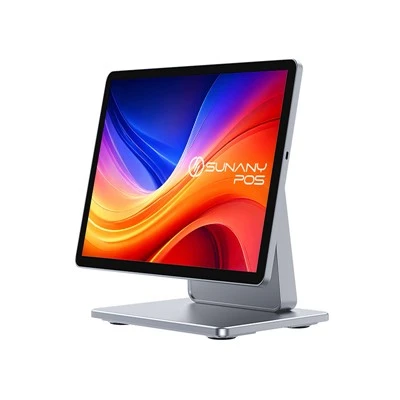
First, let’s start with the basics: Yes, you absolutely can pay most types of bills at a self-service terminal. But not all terminals are built the same. For years, my team and I heard customers (the businesses who buy our terminals, and the end users who use them) say they wanted one tool that could handle routine tasks without waiting in line. Back in 2015, when we launched our first line of multi-function terminals, we thought that was a reasonable ask—but early testing taught us that not all bill payment types fit every machine. Utility bills, credit cards, local government fines, and even healthcare co-pays all have different security requirements, data formatting rules, and payment processing partners. So we designed our terminals to be customizable, which is key. If a city wants residents to pay water and sewer bills, we set up the terminal to pull the city’s specific billing API (that’s the software bridge between the terminal and the utility’s account system), program in fields for account numbers, and integrate with trusted payment processors like ACH, credit cards, and even cash for users who don’t have bank accounts. That’s the part most people don’t see: every terminal we sell is tailored to the buyer’s needs, so bill payment functionality is a core feature, not an afterthought.
Let’s talk about how the process works from a user’s perspective, because that’s what matters most. I’ve stood next to hundreds of people using our terminals, helping them through their first bill payment, and I can tell you it’s mostly intuitive. The screen will prompt you to start with a simple action: “Pay a bill” is usually one of the main icons right on the home screen, right next to “Print a receipt” or “Check your account balance.” You’ll enter your account number—either by typing it on the on-screen keyboard, scanning a barcode from your bill, or even tapping your phone’s NFC if the terminal supports it (another feature we added after users said typing long account numbers was a hassle). Once you confirm the account, the terminal will pull up your current balance, any late fees, and a breakdown of what you’re paying for—no hidden charges, which is a big win compared to some online bill payment portals. Then you select your payment method: if you’re using a credit or debit card, you insert or tap it, and the terminal encrypts your card details immediately (that’s the EMV chip technology you know from credit cards, so it’s secure). If you’re paying with cash, the terminal has a bill validator that accepts most US denominations (we program it to match the local currency wherever we install terminals, so in Canada it takes CAD, in the UK GBP, etc.) and even gives you change back automatically if you insert more than the amount owed. I’ve seen a 72-year-old woman in Des Moines pay her electric bill in 90 seconds flat, no help from a clerk, after a few tries. That’s the kind of result we design for.
But it’s not all smooth sailing, and we’ve learned a lot about the common pain points users face when paying bills at self-service terminals. The biggest one by far is outdated terminals that can’t integrate with newer billing systems. A few years ago, we worked with a small city in Ohio that was using a 10-year-old terminal they’d bought from a discount supplier. Their water utility updated their billing software to require two-factor authentication for all online payments, but the old terminal couldn’t connect to the new API, so it wouldn’t pull up account balances or process payments. The city was losing hundreds of dollars a month in late fees because residents wouldn’t stand in line during work hours, and our team retrofitted their existing terminal to work with the new system in a week. That’s why we always tell potential buyers: don’t just buy the cheapest terminal you can find—make sure it can be updated, because billing systems change every few years. Another common issue is payment processing limits. Some small, low-volume terminals (like the ones in a small corner store) might only accept card payments, not cash, which is a problem for people without bank accounts or credit cards. That’s why our line of self-service terminals all include cash handling as a standard feature, not an add-on—we found that 30% of end users who pay bills at self-service terminals prefer cash, according to a 2022 survey we ran with 2,000 users. We also ran into occasional issues with barcode scanning: if a bill is printed on low-quality paper, the terminal’s scanner might not pick up the barcode, so we added a backup option to type the account number manually, which solves that.
Now, let’s get into why self-service terminals for bill payments are such a big deal right now. As a supplier, I’ve seen demand skyrocket over the last three years, and it’s not just because of COVID (though that pushed a lot of businesses to cut down on in-person interactions). It’s about accessibility and convenience. For users who work 9-to-5 jobs, standing in line at a utility office or bank during those hours is impossible—self-service terminals are often open 24/7, in grocery stores, libraries, or even standalone kiosks in community centers. A single parent can stop at the grocery store after dropping their kid at soccer, pay their childcare bill, and be done in two minutes, instead of taking time off work. For businesses, it cuts down on labor costs: a clerk can help 10 people an hour, while a self-service terminal can process 40, no breaks, no sick days. That’s why hospitals use our terminals for patient co-pays, libraries for fine payments, and city governments for parking tickets and permit fees. We recently installed a set of terminals at a hospital in Chicago, and within six months, patient wait times for billing payments dropped by 75%. That’s the kind of impact that makes all the late nights testing payment security worth it.
Wait a second—what about security? That’s the question I get more than any other, especially from people who are wary of putting their financial info into a machine. I can promise you that our terminals are built with security as a top priority. Every time a user enters a card number or account details, the data is encrypted end-to-end, meaning it’s unreadable to anyone who might intercept it. We comply with PCI DSS standards, the same security rules that credit card companies require, so you don’t have to worry about your card info being stolen. For cash payments, the terminal counts the bills and deposits them straight into a secure lockbox, so there’s no risk of the money being mishandled. We also include user verification features: some terminals can send a one-time code to your phone if you’re paying a large bill, to confirm it’s really you, which is a feature we added after a small number of test users accidentally paid someone else’s bill by entering the wrong account number. That’s another thing that makes our terminals different from older models—we listen to the small, annoying mistakes users make and fix them.
I want to be honest, too—there are still bills you might not be able to pay at a self-service terminal. For example, if you have a complex medical bill with multiple procedure charges that need to be explained, a clerk is still better. Or if you’re disputing a credit card charge, you’ll need to talk to a representative, not a terminal. But for 80% of routine bills—utilities, fines, childcare, membership fees—our terminals work perfectly. I’ve heard users say they still prefer to pay online, but others tell me they don’t have reliable internet at home, so a terminal at the local library is their only option. That’s the part that sticks with me: these terminals aren’t replacing human interactions, they’re filling gaps. A library patron who can’t afford internet gets to pay their fine at a self-service terminal while they pick up a book. A night shift worker can pay their electric bill at 10 p.m., no waiting. That’s the real value, not just convenience—it’s accessibility.
As a supplier, my team and I are always working to improve these tools. Last year, we added a feature that lets users save their payment info for future visits, so you don’t have to re-enter your card or account number every time you pay a utility bill. We also expanded cash handling to include mobile wallets, so users can pay with Apple Pay or Google Pay alongside cash and cards. We’ve tested terminals in rural areas where internet is spotty, and we added offline functionality, so if the internet cuts out mid-payment, the terminal saves the transaction and processes it as soon as the connection comes back. Those small changes are what make the difference between a terminal that works and one that feels like a hassle.
If you’re a business owner or a manager at a government office or hospital, and you’re wondering if a self-service terminal for bill payments is right for you, my advice is to start small. Test a single terminal in a high-traffic area, like the front lobby or a local grocery store, and see how your users respond. If you’re a user reading this, next time you’re at a store or community center and see a self-service terminal, give it a try—don’t be intimidated. They’re designed to walk you through every step, from entering your account number to confirming your payment. If you run into trouble, there’s almost always a small help button on the screen, or a nearby clerk who can walk you through it.
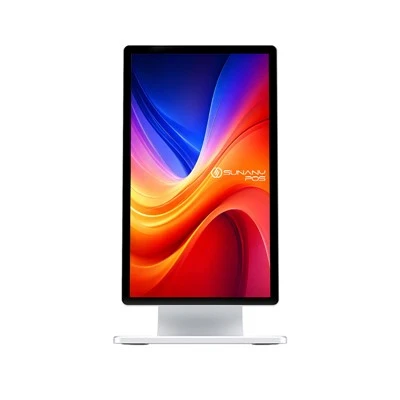
At the end of the day, the question “Can I pay bills at a self-service terminal?” isn’t a yes or no question anymore. It’s a “how well does this terminal fit your needs” question. For most people, the answer is a resounding yes—and it’s only getting easier. As self-service terminal suppliers, our job isn’t just to build machines that process payments. It’s to build tools that save people time, reduce stress, and make routine tasks less of a burden. If you’re interested in learning more about how our terminals can handle bill payments for your organization, we’d be happy to connect and walk through your specific needs. We can share case studies from similar businesses, demo our terminal’s bill payment interface, and answer any questions you have about security, customization, or installation.
References
Windows POS System Payment Card Industry Security Standards Council. (2021). PCI DSS v4.0 Overview.
Self-Service Industry Association. (2022). 2022 End User Survey: Self-Service Bill Payment Trends.
U.S. Department of Homeland Security. (2023). Guide to Secure Self-Service Kiosk Deployment.
Shenzhen Sunany Technology Limited
Shenzhen Sunany Technology Limited is one of the most professional self-service terminal manufacturers and suppliers in China, featured by quality products and good price. Welcome to wholesale bulk advanced self-service terminal made in China here and get pricelist from our factory. Contact us for customized service and OEM service.
Address: 7F, Building 2, Pingji Avenue No.13, Longgang, Shenzhen, China.
E-mail: info@sunany.com
WebSite: https://www.sunanypos.com/
